Introduction
Experiencing lines on your TV can turn your favorite show into a source of irritation. These lines, appearing in horizontal or vertical patterns, can stem from a variety of issues ranging from hardware faults to simple software glitches. Pinpointing their cause is the first step in effective troubleshooting. This comprehensive guide will walk you through identifying and resolving these common line-related issues and help you adopt strategies to prevent them in the future.
Types of Lines on TV Screens
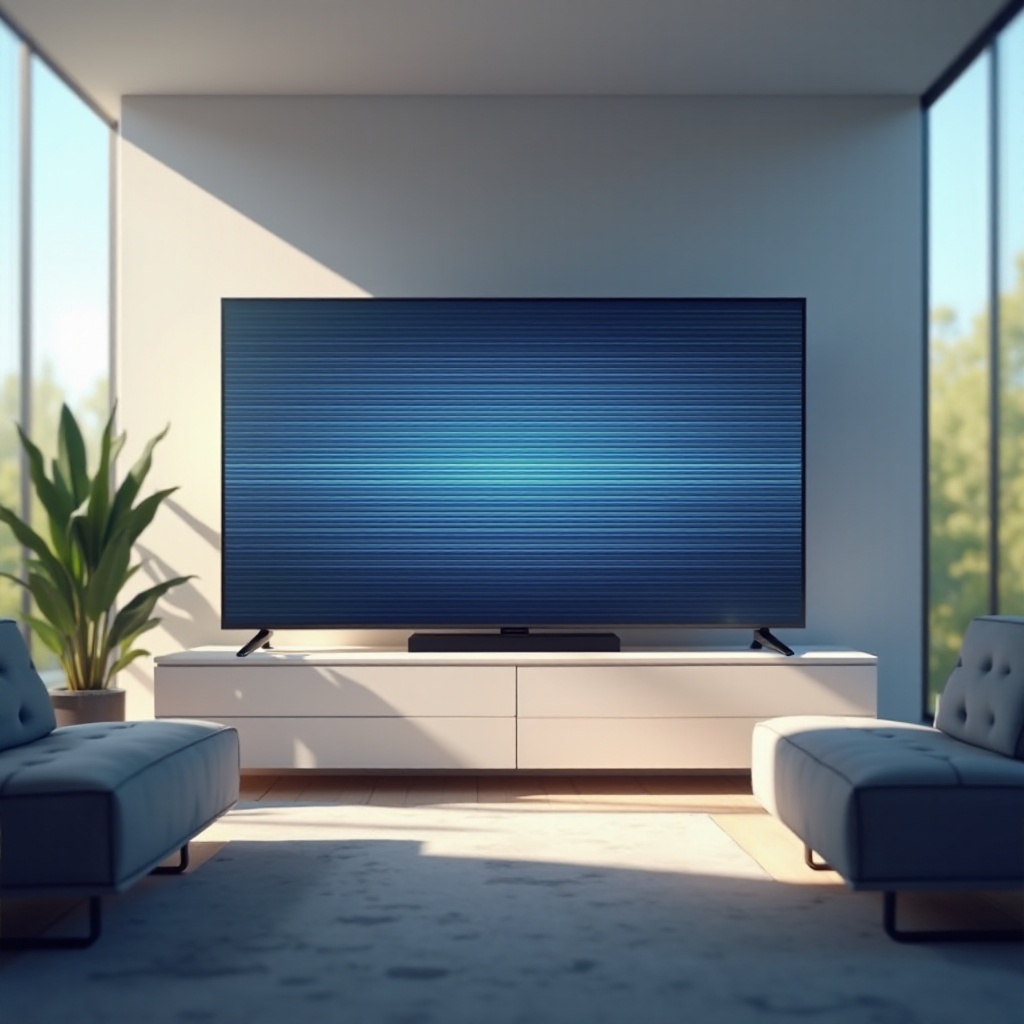
Knowing whether the lines are horizontal or vertical can help narrow down the potential causes and solutions quickly.
Horizontal Lines
Horizontal lines are frequently linked to problems with video cables or disruptions in connections. At times, the issue could also reside in the TV’s display panel itself, especially if the lines persist across different devices and inputs.
Vertical Lines
Vertical lines typically suggest hardware-related issues such as faults in the TV’s internal connections or issues with the graphics output. Software or firmware that hasn’t been updated might also contribute to this problem.
Identifying the type of lines on your screen allows you to focus your troubleshooting efforts more efficiently, reducing wasted time and effort.
Common Causes of Lines on a TV
Lines on your TV can arise from multiple sources. Understanding these can help in forming an effective action plan to rectify the issue.
Hardware Issues
Hardware issues are immediate suspects when dealing with these lines. This includes malfunctioning display panels, loose internal connections, or physical damage due to impact.
Software Glitches
When a TV’s software or firmware becomes outdated, it can introduce compatibility issues, leading to display anomalies like lines. Regular updates can often resolve these glitches efficiently.
Signal Interference
Electromagnetic interference from other electronic devices can also cause these lines to appear. Checking for potential interference sources in the surrounding environment is a simple yet often overlooked solution.
Now that we’ve reviewed possible causes, it’s essential to move on to diagnosing the exact issue with your TV.
Diagnosing the Problem
Proper diagnosis is crucial before attempting repairs or modifications. It points you in the right direction, potentially saving time and resources.
Identifying the Type of Line Issue
Determine whether the lines appear universally across all inputs and devices. Lines that persist, regardless of input, usually imply an internal problem, whereas those appearing only with specific devices suggest connectivity issues.
Understanding Error Codes and Messages
Modern TVs often display diagnostic tools or error messages that provide insight into the problem. Learning to interpret these can guide you towards the most effective repair strategies.
With diagnosis tools, we are set to explore actual troubleshooting techniques.
Troubleshooting Guide
With a clearer understanding of your TV’s condition, you can proceed with the appropriate troubleshooting steps.
Basic Checks and Resets
- Restart your TV; often, a power cycle can solve temporary glitches.
- Examine the input sources to ensure all cables are secure.
- Consider resetting your TV to factory settings to resolve software glitches.
Evaluating Cables and Connections
- Inspect HDMI cables and ports for any visible damage.
- Test the setup using different cables to determine if a specific cable is the issue.
- Ensure all connections on your TV and external devices are firmly in place.
These initial steps may resolve minor issues quickly, allowing you to enjoy stress-free viewing once again.
Advanced Repair Options
When basic techniques fail, consider these advanced repair options, but with caution.
DIY Fixes for Hardware Problems
If you’re technically skilled, examining internal connections might provide insights into the problem. Be cautious to avoid voiding warranties or causing further damage.
Professional Repair Services
Persistent issues or uncertainty in repairs should lead you to professional services. Compare repair costs with the price of a new TV to make an informed decision.
As we’ve explored potential fixes, it’s important not to overlook measures that can prevent future occurrences.
Preventative Measures
To maintain your TV’s performance and avoid future issues, consider these tips:
Tips for Maintaining a Healthy TV
- Regularly clean your TV and accessible ports to prevent dust buildup.
- Avoid positioning electronic devices too close to your TV to minimize interference.
Importance of Regular Software Updates
Keeping your TV’s software and apps updated can prevent glitches caused by outdated systems.
By implementing these strategies, you can ensure your TV operates smoothly, providing you with an optimal viewing experience.
Conclusion
Diagnosing and fixing lines on your TV involves understanding potential causes and applying effective solutions. From straightforward resets to professional repairs, there are several strategies to tackle the issue. Preventive measures not only lengthen your TV’s lifespan but also enhance the quality of your viewing. Regular upkeep and awareness are key to enjoying a flawless screen for years to come.
Frequently Asked Questions
How do I know if the lines on my TV are a hardware issue?
Look for lines that persist across all inputs and devices. If present when using various sources, it’s likely a hardware issue.
Can software updates fix line issues on my TV?
Yes, updating your TV’s software can fix glitches that might cause display problems.
Should I repair or replace my TV if lines persist?
Consider costs: if repairs are near the cost of a new TV, replacement might be the better option.